Overview
This article describes a set of iterative management practices for engineering application development projects, with a focus on how to advance projects efficiently and at low cost. The approach is suited to small-team collaboration; its core characteristics are fixed R&D cadence, standardized deliverables, and high-frequency async collaboration.
This article addresses only scenarios where the technical approach and implementation path are clear; it does not cover engineering decisions or goal management. It is also deliberately practical and focused on what you can apply immediately, without lengthy explanation of the reasoning behind the approach.
On Pragmatic: This philosophy runs through several of my practice guides, including Architecture Design the Easy Way Pragmatic Web API Guidelines How to Run a Good PRR (Production Readiness Review)? and others. Pragmatic means emphasis on operability and real impact; the key is simplicity and ease of adoption so that anyone can execute. My pursuit of pragmatism comes from the book The Pragmatic Programmer.
Note: This article does not strictly distinguish between Project and Product Sprint; project management here can be treated as equivalent to R&D process management.
Disclaimer: There is no silver bullet. This methodology may not fit every context, and the approach is still evolving. If your project has a PM, consult them first.
 Mural of La Brea Tar Pits (C.R. Knight); the image is cited in The Mythical Man-Month.
What Problems Do We Face in Software Project Management
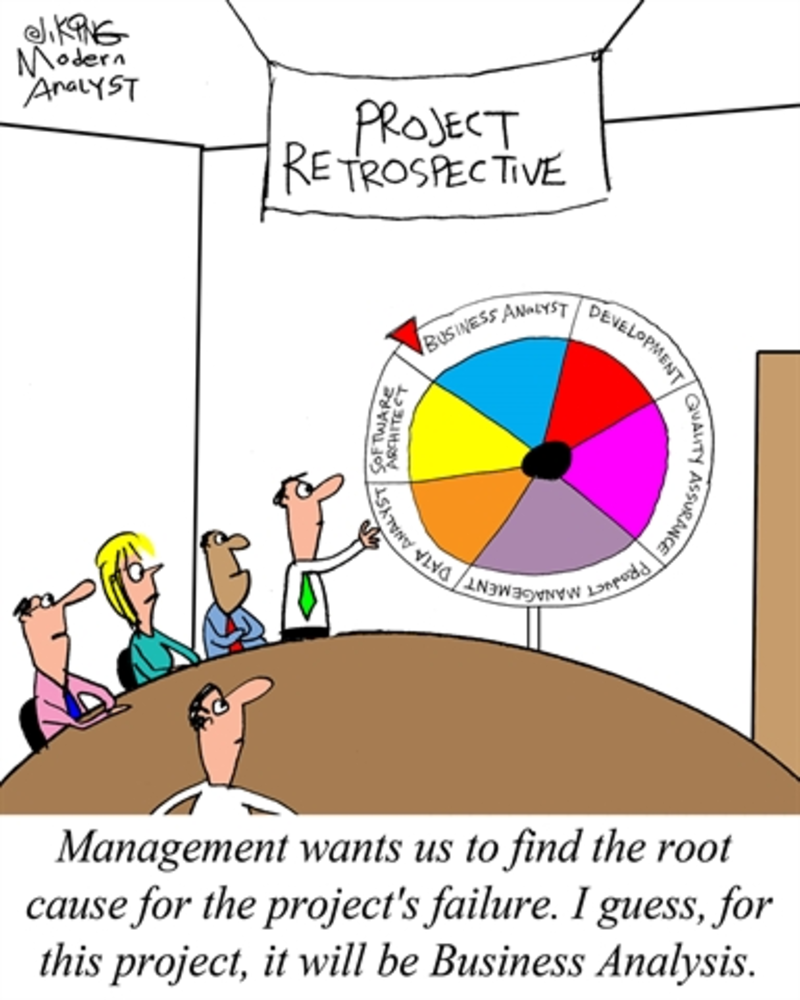
Software project management often faces various challenges. In my experience, the most direct difficulty is that projects fail to deliver on time. The causes can be summarized as follows:
- My collaborators or dependents are the problem—they have no time, or their solution does not meet my needs
- Requirements change frequently; the plan is unclear and keeps shifting, or new requirements are inserted during implementation
- Deliverables do not meet quality standards; testing uncovers many issues and delivery is delayed
- Deliverables are not what was wanted; alignment with stakeholders reveals large gaps
- Dependent resources are not available in time
- Project plans are overly optimistic, over-committed; delivery takes longer than estimated and effort is higher than expected
- Engineering difficulty is high; technical risks emerge during implementation, cost is high or completion is difficult
- Multiple projects compete for the same people
- Parallel projects make it impossible to meet engineering constraints
- Team members’ availability does not align, so effective collaboration is difficult
Problems are not scary; defining them clearly is half the battle. Let’s look at how to address them.
Root Cause Analysis
In reality there may be even more issues; at the root they boil down to a few types:
- Requirements: Vague description, frequent change, and misaligned communication
- Collaboration: Gaps in handoffs, mismatched expectations, and failed information sync
- Time: Cycle constraints and unplanned requirements inserted mid-stream
- Engineering: Technical implementation difficulty or cost beyond expectation
My Project Management Best Practices
Based on the above, I group the solutions into a few directions: cadence, handoff artifacts, and collaboration.
Note: This article does not focus on solving engineering difficulty or the problems an architect must solve; at most it can reduce technical risk from a project management perspective.
For how to handle architecture, see Architecture Design the Easy Way. For concrete engineering difficulties, consult your team’s technical experts.
Cadence — Fixed R&D Cadence Matters More Than Deadlines
What is project cadence, and what makes it good?
Cadence is about establishing a predictable, periodic delivery mechanism. Rather than only setting a final deadline, the Sprint model from the Scrum agile framework is more effective. Each sprint forms a full loop: requirements analysis, design, development, testing, and release. A good iteration cadence has three benefits: (1) Clear time expectations and periodic delivery; (2) Forcing requirement breakdown so the product evolves from MVP toward a complete form, avoiding long “big bang” efforts that end in disappointment; (3) Avoiding the delivery risk of long, closed development—the worst case is working hard for 58 days and failing to deliver in the last two.
Two-Week Iterations
How long should one iteration be? For small teams, it should not exceed one month; aim for two weeks, and one week if possible. In my experience, about half of an iteration is spent on design and half on building (development, testing, release). Do not underestimate design time; under-investing there is hard to recover from later.
Iteration management needs a dedicated iteration manager with three core responsibilities: planning iteration schedule, coordinating meetings, and checking that deliverables follow standard templates (they enforce format, not solution quality; quality is owned by the architect and downstream sign-off). This role effectively carries part of project management; if no one is available short-term, the project lead should take it. The iteration manager is usually drawn from the team; a rotation is recommended. Rotation has two benefits: members experience management challenges and understand other roles; it also surfaces process bottlenecks and improves collaboration.
High-frequency iteration also addresses requirement insertion: any requirement waits at most one cycle (e.g. ≤1 week); urgent needs go through a hotfix flow. Large requirements must be split and validated; those that cannot be split need a PoC first to assess technical risk.
Estimating Effort Within an Iteration
This is a recurring question. I use two approaches.
The first is a simple effort formula: effort = (most optimistic + most pessimistic) / 2.
The second is to avoid oversized requirements. All requirements should be sized. I use these levels: extra-large (month), large (week), medium (day), small (hours). I do not accept XL or L requirements in an iteration; they must be broken down to M or S.
(There is also a more complex assessment from a technical adoptability angle, but the formula above is simpler and easier to apply.)
Example Iteration
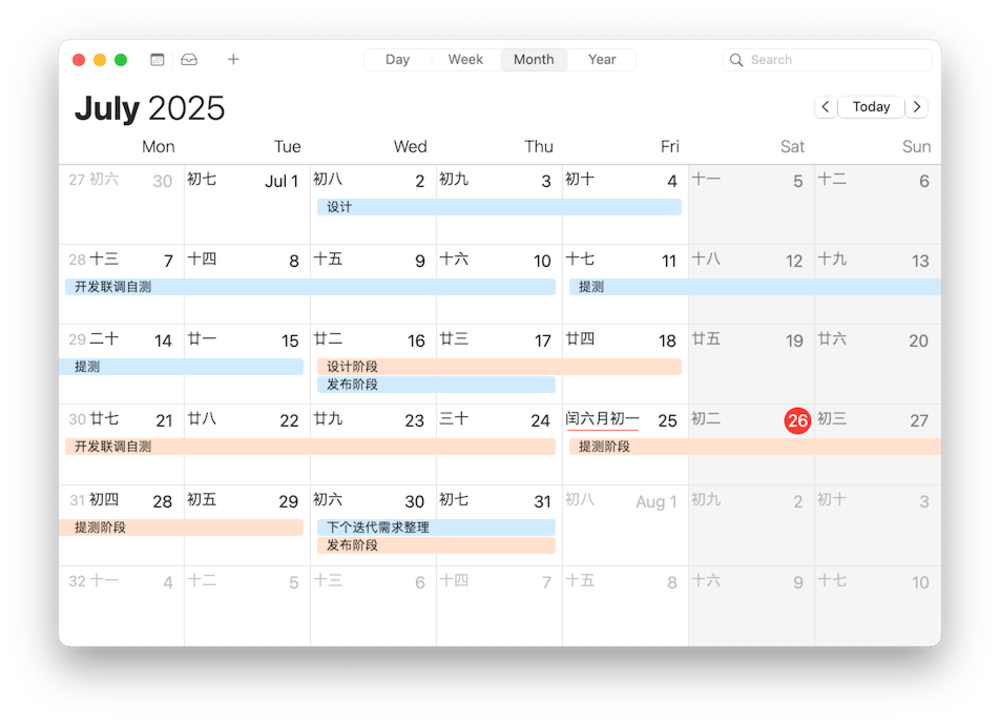
A real example: two iterations (07a and 07b) for a product I was responsible for in July.
Handoff Artifacts — Standardize Inputs and Deliverables at Each Stage
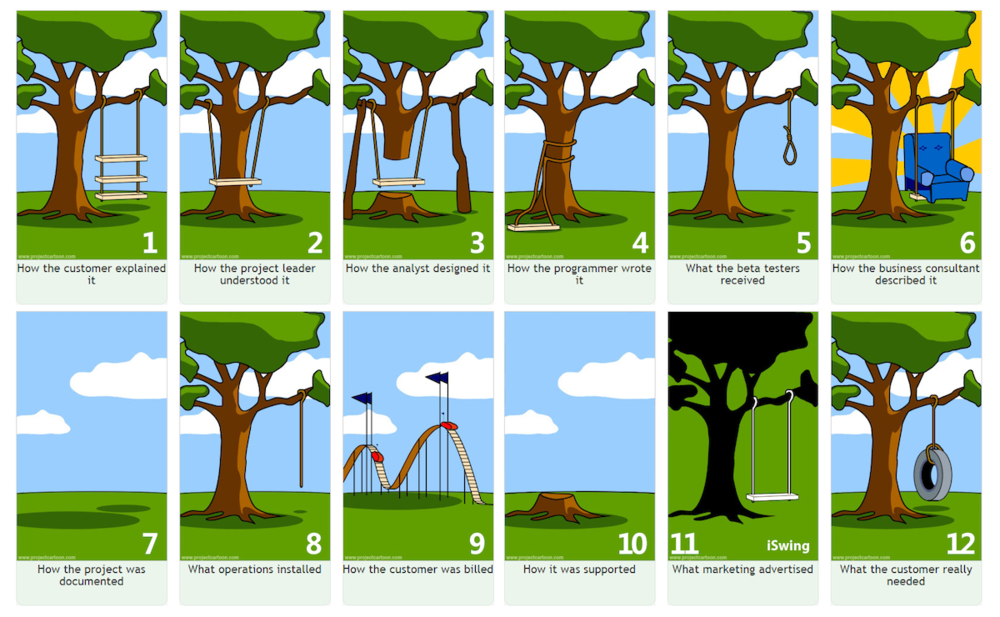
The invisibility and abstraction of software are fundamental causes of its complexity.
Clear, explicit handoff artifacts reduce that invisibility and abstraction; they are the main weapon against delivery complexity. The most important rule for using them: write it down.
Write down your long-term requirement plans—annual or monthly. Write down your requirement details; write down your system design; write down your release scope.
Across the process, I recommend these handoff artifacts for project management. Most are familiar; pay special attention to the requirement list and Release Note as best practices here.
| Stage | Input / Output | Notes |
|---|---|---|
| Product plan | Product OKR | |
| Product idea | Requirement list | The requirement list is a special format I use to counter “one-sentence requirements.” |
| Product req | Requirement doc | We often don’t have a dedicated PD, so we write requirement docs ourselves. Two formats: text-based and diagram-based. |
| System design | System design | The structure of the written design must be explicit; everyone should use the same pattern (e.g. system design template in Yuque). |
| Development | Self-test report | Screenshots as evidence. |
| Testing | Test report | |
| Release plan | Release plan | |
| Go-live | Release Note | Keep Release Notes light; prefer linking to product usage docs. |
| Daily use | Product manual | Many screenshots, kept up to date with releases. |
Below are some real examples from my practice (possibly from different products or iterations).
Requirement List Example
| Feature description | Owner | Priority | Front-end pages | QA involved |
| User A can use feature B for auth | Doge | High | 2 pages | Yes |
| User B can use feature C to view report | Xie Bao | High | 2 pages | No |
| User C can use feature C to publish video | Luo Jiu | High | Few | Yes |
Requirement Document Example
Requirement document template:
Title: Short, clear description of the requirement
User role: Who will use this feature
User goal: What the user wants to achieve
Preconditions: Conditions that must be met to use the feature
Main flow: How the user uses the feature step by step
Alternative flows: Exceptions and edge cases
Acceptance criteria: How to verify the requirement is correctly implemented
A sample requirement document (text format):
Video publishing flow MVP
User role: Content operator
Title: User uploads video and completes automated publishing
User goals:
- Operator manages the full lifecycle from upload to publish via a standard flow.
- Key steps are automated (e.g. transcoding, review) with manual checkpoints where needed.
- Supports exceptions (e.g. review failure, transcoding error) with manual retry or skip.
Main flow
- Create publish task
- User uploads source video (MP4/MOV/AVI, etc.)
- Fills metadata (title, category, tags, cover)
- Automated preprocessing
- Transcoding: Multiple resolutions (1080P/720P/480P)
- Content review:
- AI review (sensitive/forbidden content)
- If pass → enqueue for publish
- If fail → pause and notify manual review
- Manual checkpoint (pause point)
- Operator reviews AI-flagged segments and can: Approve (continue), Reject (edit and re-upload), Force skip (with reason)
- Publish
- Push to channels (Web/APP/third-party)
- Generate trackable publish ID
- Exception handling
- Transcode failure: Auto retry (≤3) → then notify operator
- Publish interrupted: Manual retry/skip/terminate
Alternative flows
- Transcode unavailable: Allow pre-transcoded upload (must meet resolution spec)
- AI review down: Fall back to full manual review (document in SOP)
Acceptance criteria
- End-to-end: Upload to publish ≤15 min (excluding review wait); simulate review failure and force-skip, flow continues.
- Exceptions: Transcode failure triggers alert and allows manual file replace; after publish interrupt, retry restores state.
- Deliverable: Video publishing SOP with manual steps and failure handling (owner: A).
Product Release Note Example
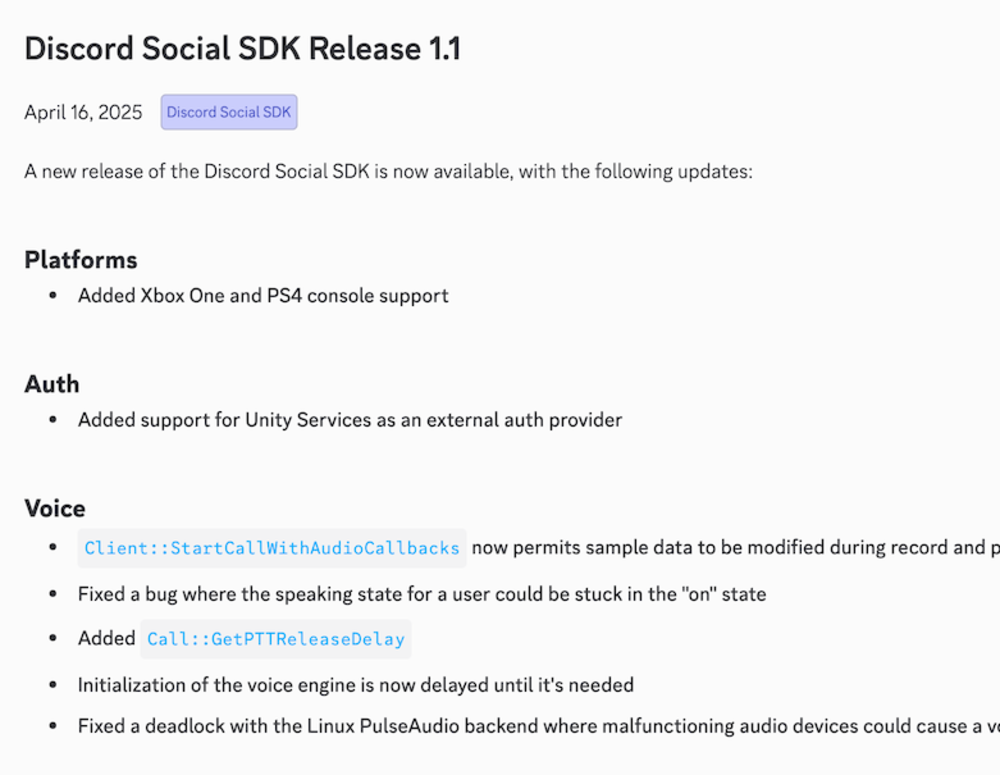
Discord’s Change Log (Release Note) outline—no need for as many emojis as some front-end products.
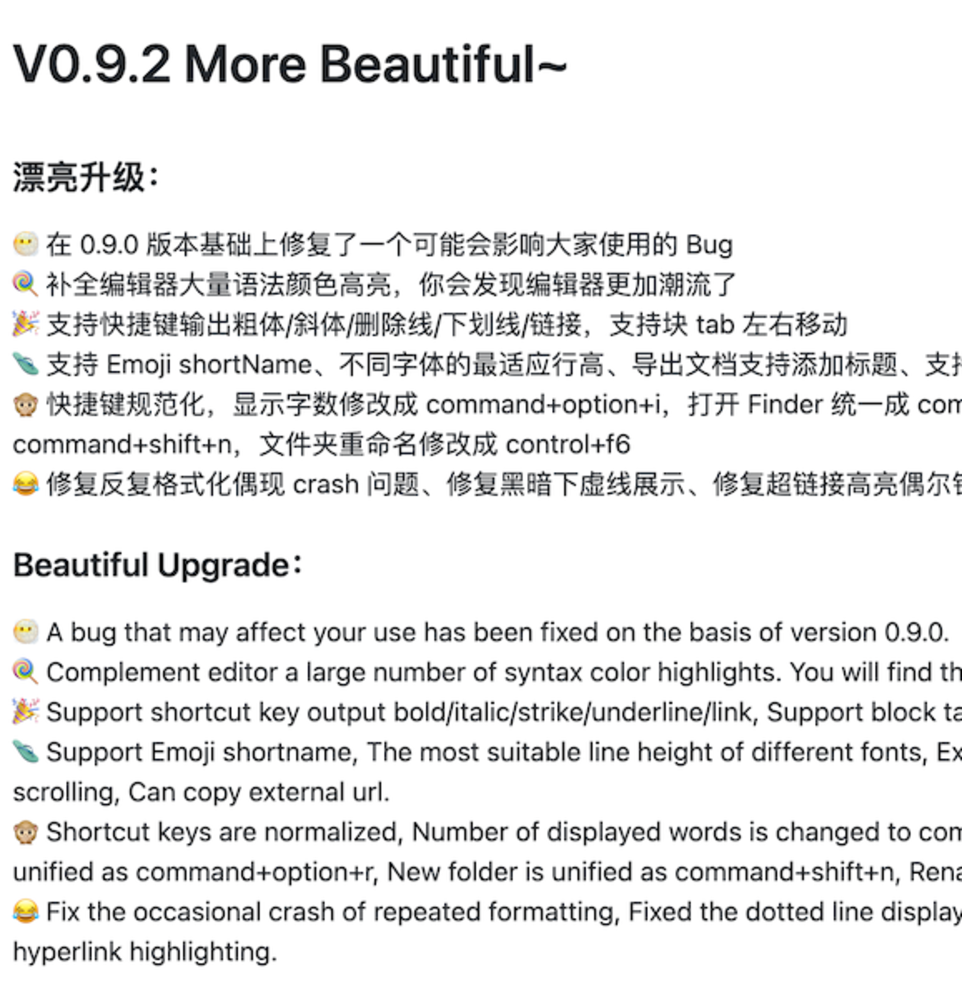
A release note from tw93/MiaoYan:
Product Manual Example
I recommend a Git-based Markdown approach such as MkDocs.
A good reference is the NebulaGraph Operator docs—note this is only one sub-product of NebulaGraph, so the scope is smaller and easier to start with.
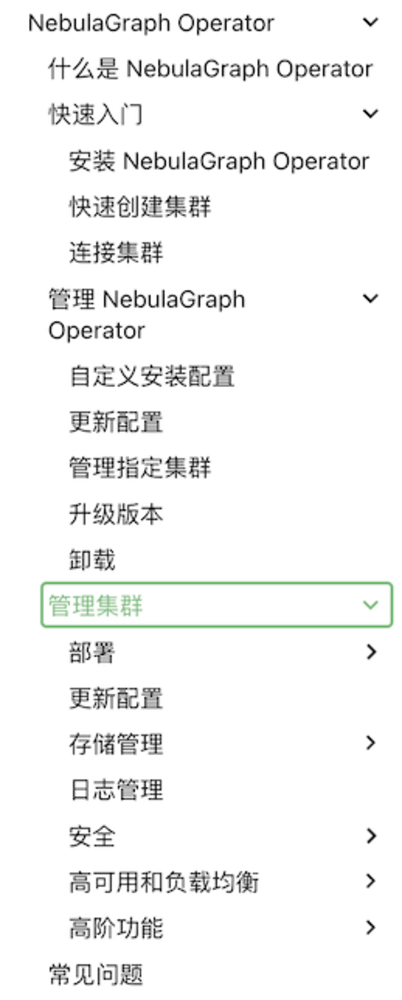
For deliverables, especially documentation: even with many types listed here, keep it concise and minimal—outline first, less is more.
High-Frequency Async Communication — Sync vs Async, Risk and Transparency
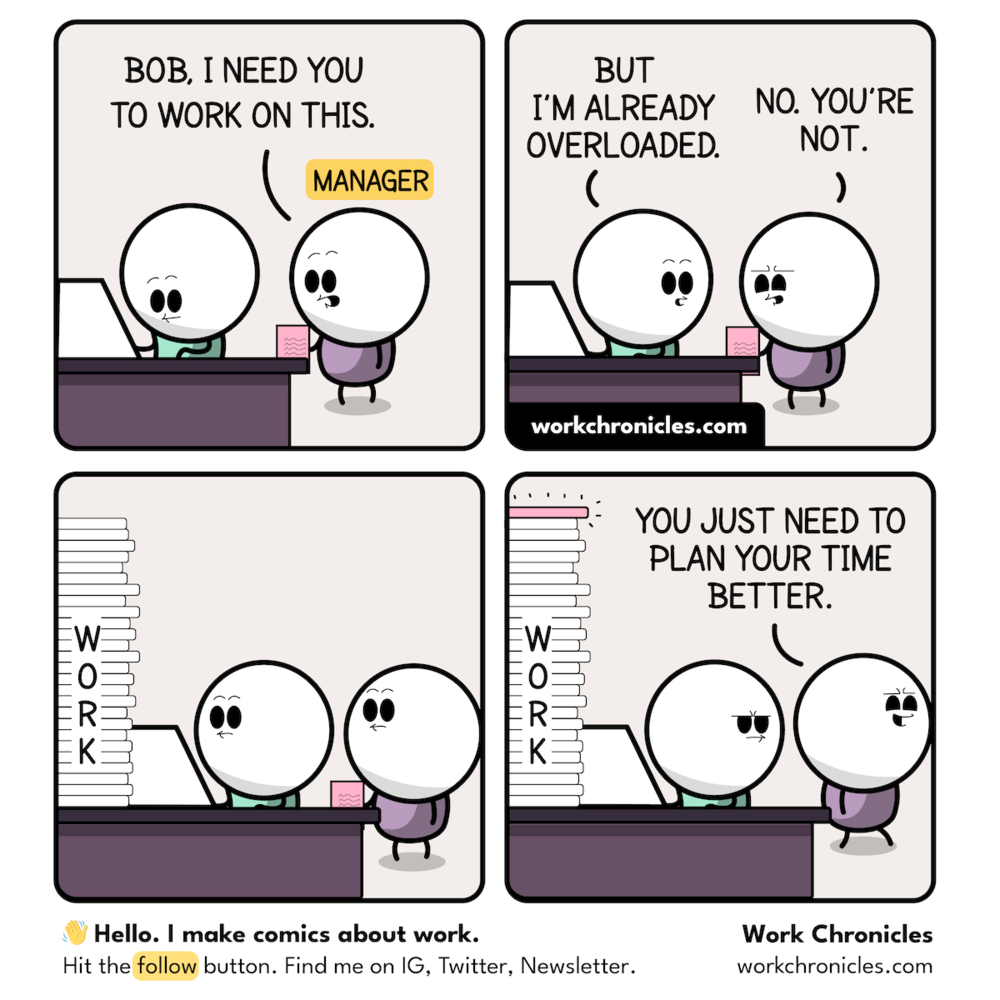
Don’t build a tower of Babel.
In distributed collaboration, establish an “async first, sync when needed” model. Focus on three pain points: information silos, delayed risk visibility, and dependency blockage. Effective collaboration needs: global visible task management, structured risk escalation, and clear dependency coordination.
I dislike meetings—in a sense I resent them. I’ve written about meetings before:
Too little code this month; meetings took about one third of the time. That’s terrible.
Meetings are inefficient, inefficient, inefficient. Some lack preparation, lack focus, and the facilitator doesn’t keep control; many people are invited and some stay on even when they don’t need to be.
If I could, I would ban company meetings and move everything to document-based async interaction.
Build more, talk less; have a clear position, share materials in advance, don’t be silent in meetings, and leave boldly if you’re not involved. Let everyone get back to design and code.
Effective communication must avoid distortion. The core is transparent risk and dependency coordination: (1) Global visible board for task and risk status; (2) Precise progress tracking per node; (3) Async collaboration via tools like Jira for full-cycle sync.
Two Types of Meetings — Design Review and Daily Standup
Do we still need meetings? Yes, but only two: design review and daily standup.
Design review:
- Be clear who owns the approval. A meeting with no designated approver is theater, not discussion.
- No unprepared discussion. Align with key stakeholders before the review so the meeting is a presentation, not a discovery session.
- The review must end with a decision: approved or not, confirmed by someone. All follow-up items go into the collaboration tool; requirements in particular must be recorded—they are the basis for daily standup tracking.
For daily progress, I recommend a daily standup; at minimum every two days (e.g. Tue/Thu). Keep it to about 15 minutes. With ~7 people per project (pizza rule), one to two minutes per person.
The standup facilitator matters: guide everyone to share progress, risks, and asks for help; every ask must have a clear owner.
Board-Based Online Communication
Core principle: document-based async collaboration as the base, sync meetings only when necessary, and maximize time for real work.
Below is an example board: filtered by iteration, grouped by Assignee (nothing fancy):
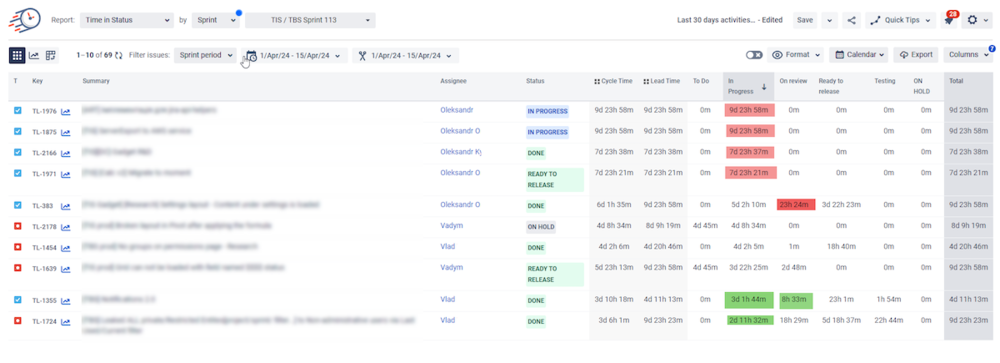
Each day the iteration manager uses this board in the standup: first confirm test and release dates, then each member reports progress, then go through everyone for release risks.
Closing
There is no universal project management approach; adjust to the problems you face. This topic is also very challenging for me as a developer. I have lost sleep more than once over delivery failures. In hindsight, it wasn’t necessary—face issues with a calm mind, prepare for expected problems, stay flexible for the unexpected. When the team has done their best within feasibility, that counts as effective delivery. The ultimate goal of project management is sustainable technical value under resource constraints.
Further Reading
The Mythical Man-Month (Douban)
The classic on software engineering project management; still sharp decades later.
The Pragmatic Project Manager (Douban)
My introductory book on project management; more general and PM-oriented. I wrote notes: Notes on The Pragmatic Project Manager | Log4D.
I. M. Wright’s “Hard Code” (代码之殇) (Douban)
The author is a senior architect/manager at Microsoft; the book is a collection of essays. Many views are sharp and insightful, from the trenches to leadership. The parts on engineering process (e.g. death marches) are worth thinking about.
Link: Pragmatic Software Project Management Best Practices | Log4D
3a1ff193cee606bd1e2ea554a16353ee